Introduction
When working with digital images, one of the first challenges beginners face is choosing the right image format. Raster vs Vector Images is a common comparison in digital design, as these are the two main image types used across websites, branding, and print media. Although they may appear similar at first glance, raster and vector images are created in very different ways and behave differently when resized or edited.
Understanding how raster and vector images work is essential for anyone involved in web design, graphic design, digital marketing, or content creation. Choosing the wrong image type can result in poor image quality, slow website performance, or unprofessional-looking designs. This guide explains the differences between raster and vector images in a clear and practical manner, helping beginners understand their structure, advantages, limitations, and best use cases so they can confidently select the right format for their projects.
What Are Raster Images?
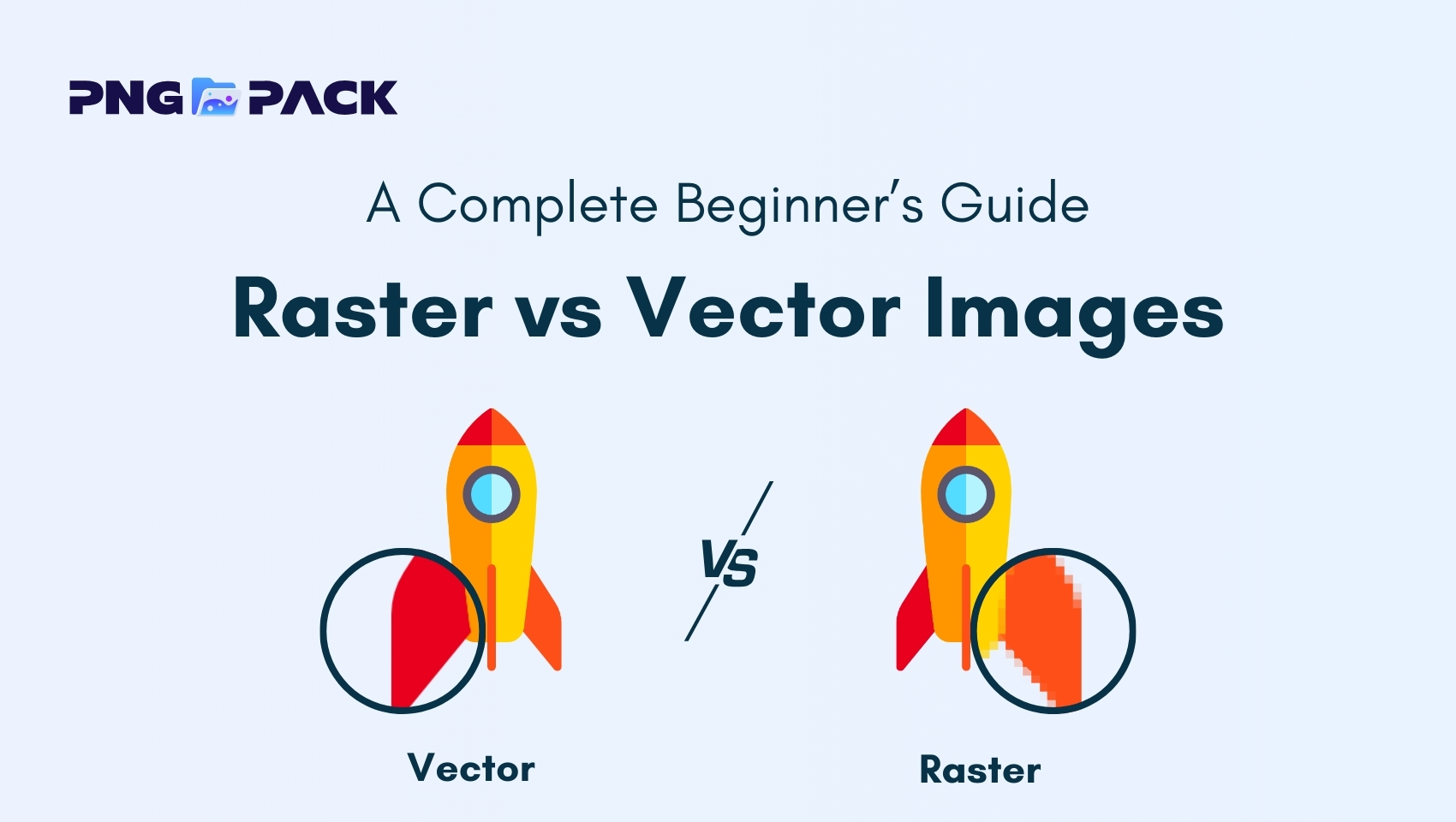
Raster images, also known as bitmap images, are digital images made up of tiny squares called pixels, each containing a specific color. Together, these pixels form the complete image. Raster images are resolution-dependent, meaning their quality is determined by the number of pixels they contain, and enlarging them can cause blurriness or pixelation. They are commonly used for photographs, detailed graphics, and digital artwork.
Key Advantages of Raster Images
Raster images are popular because they handle complex details and color variations very well. Here are the main advantages:
- High Detail and Realism: Can display subtle colors, gradients, and textures, making them perfect for photographs.
- Widely Supported: Compatible with almost all software, devices, and web browsers.
- Ideal for Complex Images: Can capture intricate details like shadows, reflections, and textures.
- Easy to Use for Web and Social Media: Popular formats like JPEG and PNG are optimized for online use.
Limitations of Raster Images
Despite their advantages, raster images also have some drawbacks. It’s important to know these to avoid quality issues:
- Loss of Quality When Resized: Enlarging a raster image reduces clarity and causes pixelation.
- Resolution Dependent: The image quality is tied to the original pixel count. Low-resolution images appear blurry or jagged.
- Larger File Sizes: High-resolution raster images can take up significant storage space and slow down website loading times.
- Limited Scalability: Not ideal for designs that need to be resized frequently, such as logos or vector-based illustrations.
What Are Vector Images?
Vector images are digital graphics created using mathematical formulas, points, and paths instead of pixels. This allows them to scale infinitely without losing quality, keeping edges sharp and clear at any size. Vector images are commonly used for logos, icons, illustrations, and print designs because they offer precision, flexibility, and easy editing.
Key Advantages of Vector Images
Vector images are popular because they offer flexibility and precision. Here are the main advantages:
- Infinite Scalability: Can be resized to any dimension without losing quality or becoming pixelated.
- Smaller File Size (for simple designs): Simple shapes and lines use less storage than high-resolution raster images.
- Easy Editing: Individual elements like colors, shapes, and lines can be modified independently.
- Ideal for Logos, Icons, and Illustrations: Perfect for designs that require clean lines and frequent resizing.
- Print-Friendly: Maintains high quality across various print sizes, from small flyers to large banners.
Limitations of Vector Images
While vector images are extremely useful, they also have some limitations:
- Not Suitable for Detailed Photographs: They can’t capture complex color gradients or realistic textures as well as raster images.
- Requires Specialized Software: Editing vector files often requires tools like Adobe Illustrator, CorelDRAW, or Inkscape, which may be harder for beginners.
- Limited Realism: Vector graphics are better for clean, simple designs rather than highly detailed visuals.
- Learning Curve: Understanding paths, nodes, and vector editing tools can take time for new users.
Raster vs Vector: Key Differences
Raster and vector images differ fundamentally in how they are created and how they behave. Raster images are made up of tiny squares called pixels, each holding a specific color. This pixel-based structure allows them to capture high levels of detail, making them ideal for photographs, digital artwork, and images with complex textures or color gradients. However, because they are resolution-dependent, enlarging a raster image beyond its original size can lead to pixelation and loss of quality.
On the other hand, vector images are composed of mathematical paths, points, and formulas, rather than pixels. This structure allows them to scale infinitely without losing clarity or sharpness, making them perfect for designs that require resizing, such as logos, icons, or illustrations. Vector images are typically easier to edit because individual shapes, colors, and lines can be modified independently. However, they are not suitable for detailed photographs or images with complex textures, as vectors cannot replicate subtle color variations as well as raster images can.
When to Use Raster vs Vector Images
Knowing when to use raster or vector images is crucial for both digital and print projects. Raster images are the preferred choice for photographs, digital artwork, web graphics, and social media posts. They are ideal when your project demands fine detail, color gradients, and realistic textures. However, if you plan to enlarge a raster image significantly, it’s important to use a high-resolution file to avoid loss of quality.
Vector images, on the other hand, are perfect for logos, icons, illustrations, and print materials that need to be resized without losing clarity. They are also ideal when you want to easily edit shapes and colors, or create graphics that must remain sharp across different sizes, such as banners, posters, or business cards. In many professional projects, designers use a combination of both types - raster images for detailed visuals and vector images for scalable graphics - to achieve the best results.
Conclusion
Understanding the difference between raster vs vector images is essential for anyone working with digital graphics, whether it’s for web design, branding, social media, or print projects. Raster images excel in realism and detail, making them perfect for photographs and intricate visuals, while vector images offer scalability and precision, ideal for logos, icons, illustrations, and designs that need to be resized frequently. By knowing when to use each format, you can ensure your designs maintain high quality, look professional, and perform well across all platforms.
For beginners and professionals alike, having access to high-quality images can save time and elevate your work. Platforms like PNGPack provide a wide collection of free PNG images that can be easily downloaded and used in your projects, whether for raster-based visuals or as elements in vector designs. Combining the right image type with reliable resources like PNGPack will help you create visually stunning and professional designs every time.