Introduction
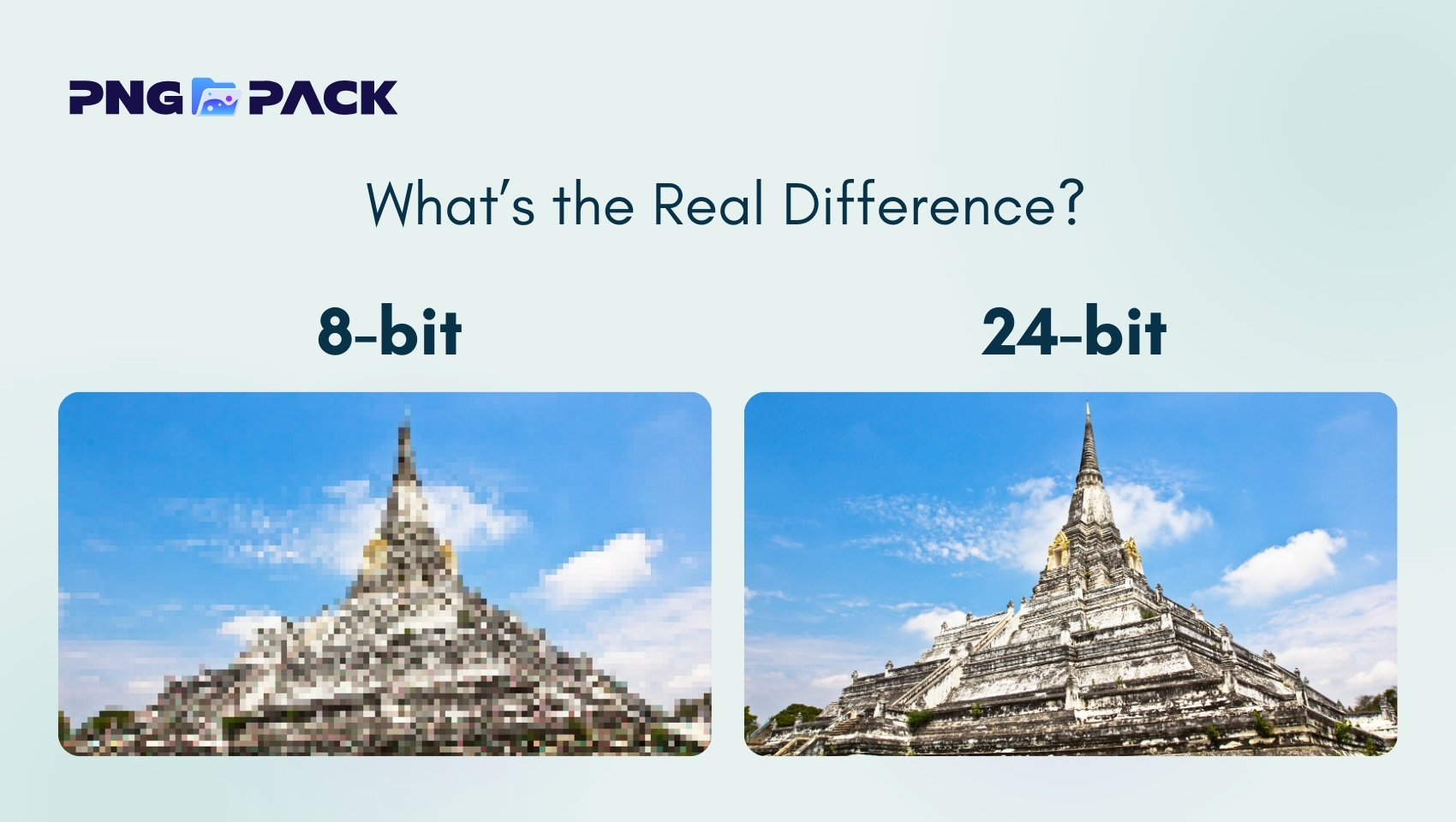
PNG (Portable Network Graphics) is a popular image format widely used for web design, digital graphics, and visual content due to its lossless quality and transparency support. However, many users are unaware that PNG images come in different color depths - most commonly 8-bit vs 24-bit PNG images. Choosing the wrong type can lead to unnecessary large file sizes or poor visual quality. This article explains the real difference between 8-bit and 24-bit PNG images, helping you select the right format based on quality, performance, and practical use cases.
Understanding PNG Bit Depth
Bit depth refers to the amount of color information stored in each pixel of an image. In the case of PNG images, bit depth determines how many distinct colors a single pixel can display, which directly influences the overall image quality. The higher the bit depth, the more color variations an image can represent, resulting in smoother gradients, better color accuracy, and more detailed visuals.
However, increased bit depth also means that more data is stored for each pixel, which leads to larger file sizes. This trade-off between visual quality and file size is a key consideration when choosing a PNG format, especially for web use. Images with higher bit depth are ideal for complex graphics and detailed designs, while lower bit depth images are more efficient for simpler visuals.
Understanding PNG bit depth is essential because it impacts not only image appearance but also transparency handling and website performance. Selecting the appropriate bit depth helps ensure optimal image quality while maintaining fast load times and a better user experience.
What Is an 8-bit PNG Image?
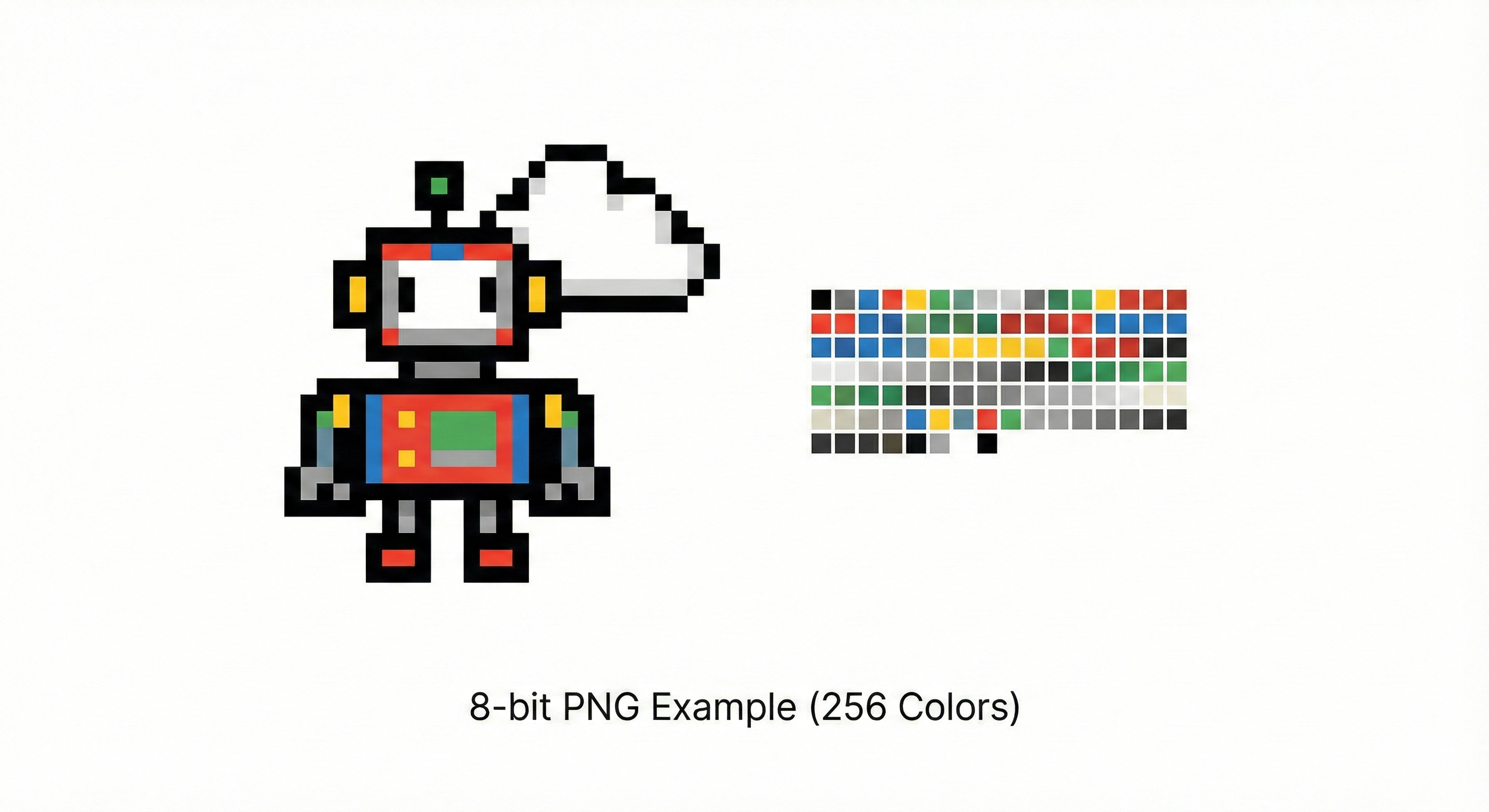
An 8-bit PNG image is a PNG file format that uses an indexed color system with a limited number of colors. Instead of storing full color information for every pixel, it relies on a predefined palette, which helps reduce file size while keeping the image visually clear for simple designs.
Key points :
1) Limited Color Support :- An 8-bit PNG image supports up to 256 colors, making it suitable for graphics with simple color schemes and minimal gradients.
2) Indexed Color Palette :- Colors are stored using a predefined palette rather than full color data per pixel, which helps reduce file size efficiently.
3) Smaller File Size :- Due to reduced color information, 8-bit PNG images are lightweight and load faster, improving website performance.
4) Basic Transparency Handling :- Supports simple transparency, ideal for logos and icons, but lacks smooth transparency transitions.
5) Best for Simple Web Graphics :- Commonly used for icons, logos, buttons, charts, and UI elements where high color depth is not required.
What Is a 24-bit PNG Image?
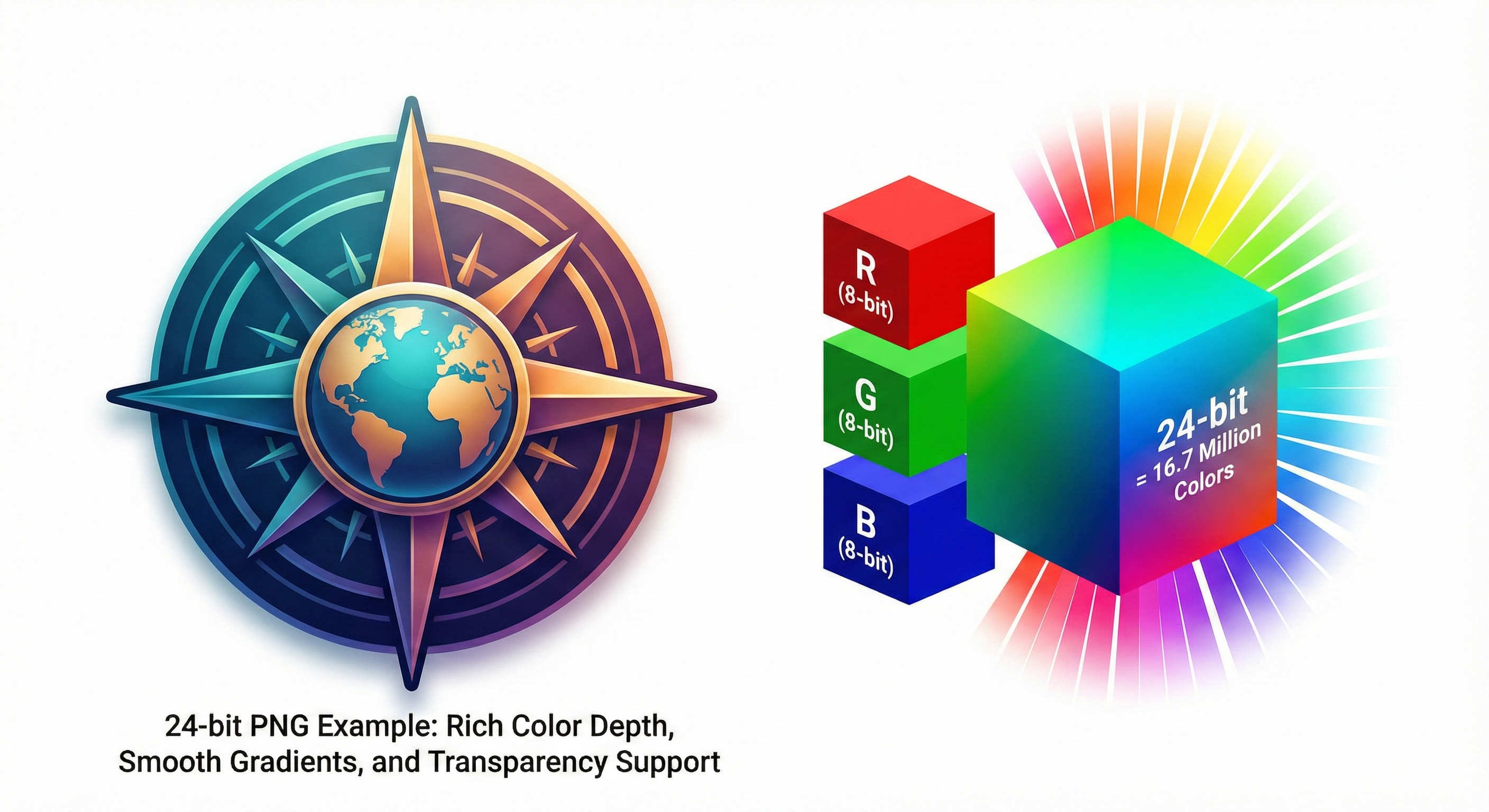
A 24-bit PNG image is a high-quality PNG file format that stores full color information for each pixel using the RGB color model. It supports over 16.7 million colors, allowing images to display rich details, smooth gradients, and accurate color representation. This makes 24-bit PNG images ideal for complex graphics and visuals that require high color precision.
Key Points :
1) True Color Support :- Displays over 16.7 million colors, ensuring accurate and realistic image quality.
2) High Visual Quality :- Handles smooth gradients, shadows, and fine details without color banding.
3) Full RGB Color Model :- Each pixel stores complete red, green, and blue color data for precise rendering.
4) Advanced Transparency Support :- Works with alpha transparency (often referred to as PNG-24/PNG-32), allowing smooth edges and semi-transparent effects.
5) Larger File Size :- Stores more color data per pixel, resulting in larger files compared to 8-bit PNG images.
Color Accuracy and Visual Quality
Color accuracy and visual quality play a crucial role in how an image is perceived by users. In PNG images, these qualities are directly influenced by bit depth. A higher bit depth allows an image to store more color information per pixel, resulting in richer tones, smoother transitions, and more realistic visuals.
A 24-bit PNG image offers superior color accuracy because it supports over 16.7 million colors. This wide color range allows it to reproduce subtle differences in shades, making gradients appear smooth and natural. Shadows, highlights, and fine details are preserved without visible distortion, which is especially important for detailed graphics and professional design work.
In comparison, an 8-bit PNG image is limited to 256 colors. While this is sufficient for simple graphics and flat designs, it can lead to color banding in gradients and a noticeable loss of detail in complex images. However, for icons, logos, and interface elements with limited color variation, the visual difference is often minimal.
Understanding the relationship between bit depth, color accuracy, and visual quality helps designers and website owners choose the most suitable PNG format, ensuring a balance between appearance and performance.
File Size and Performance Impact
The choice between 8-bit and 24-bit PNG images has a direct effect on file size and website performance. Here’s a breakdown of the key points:
1) Bit Depth Affects File Size
- 8-bit PNGs store only 256 colors, resulting in smaller files.
- 24-bit PNGs store millions of colors, creating larger files that take up more storage and bandwidth.
2) Website Loading Speed
- Smaller 8-bit PNG files load faster, improving user experience and reducing bounce rates.
- Larger 24-bit PNG files can slow down page load times if not optimized.
3) Mobile and Low-Bandwidth Performance
- 8-bit PNGs are ideal for mobile users or slow internet connections because they require less data.
- 24-bit PNGs may cause delays on mobile devices or networks with limited speed.
4) Impact on SEO
- Faster-loading pages improve SEO rankings and Core Web Vitals.
- Using unnecessarily large 24-bit PNG images can negatively affect site performance and search visibility.
5) Balancing Quality and Performance
- Use 8-bit PNGs for simple graphics, icons, and logos to save space and maintain speed.
- Reserve 24-bit PNGs for complex visuals or images that require smooth gradients and high color accuracy.
Best Use Cases for Each PNG Format
Choosing the right PNG format is essential for balancing image quality, file size, and website performance. Both 8-bit and 24-bit PNGs have specific strengths, making them suitable for different scenarios.
8-bit PNG
- Simple Graphics: Ideal for icons, buttons, logos, and other images with flat colors or minimal shading.
- Charts and Diagrams: Works well for illustrations with limited colors and clear edges.
- Performance-Friendly: Smaller file sizes make 8-bit PNGs perfect for websites where fast loading and low bandwidth usage are important.
- Web and Mobile Use: Helps improve website speed and provides a smoother experience for mobile users.
24-bit PNG
- High-Quality Visuals: Supports millions of colors, making it perfect for detailed illustrations, graphics with gradients, and images requiring smooth color transitions.
- Transparency and Effects: Supports advanced alpha transparency for shadows, soft edges, and layered visuals.
- Professional Design: Ideal for photos, banners, marketing materials, or any project where visual fidelity is a priority.
- Complex Graphics: Suitable when color accuracy and detail are more important than file size.
Conclusion
Understanding 8-bit vs 24-bit PNG images is essential for anyone working with web graphics, digital design, or online content. 8-bit PNGs provide smaller file sizes and faster loading times, making them ideal for icons, logos, and simple web graphics. In contrast, 24-bit PNGs deliver high color accuracy, smooth gradients, and detailed visuals, perfect for illustrations, complex designs, and professional projects.
Choosing the right format ensures a balance between image quality and performance, improving website speed, mobile experience, and overall visual appeal. For designers and website owners seeking optimized PNG images without compromising quality, PNGPack is a reliable resource. It offers both 8-bit and 24-bit PNGs, making it easy to select the right format for any project while keeping file sizes manageable and websites fast.